If a client tells you their pass didn't work, it's worth asking first whether they were signed in when they tried to book. A credit only comes off a pass when a booking goes through, so if they couldn't book, what they hold hasn't changed. You can also book them in yourself using their pass, package or membership. This guide also explains what happens to the credit if that booking is cancelled later.
To set up what you sell, see Create and sell passes and Create and sell memberships.
A client says their pass or membership didn't work
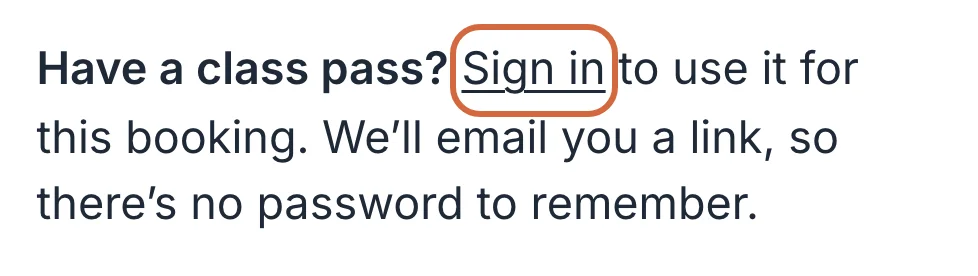
If a client's pass or membership isn't showing when they book on your booking page, check first that they've signed in. Typing their email into the booking form isn't enough. Until they sign in, the payment step only offers Pay by card and passes to buy, so it can look as though theirs has gone.
 (opens the full-size picture in a new tab)
 (opens the full-size picture in a new tab)Clients need to choose Sign in before their pass is offered.
Ask them to choose Sign in on the booking form, using the email address their pass is under, and open the link they're emailed. They'll come back to their booking with what they've typed so far.
If they were signed in, open the person from BookingsPeople and choose Purchases to see what they hold and how many credits are left. Adjust beside a pass shows its expiry date. Then check these:
- The pass has no credits left, or it ends before the date of the class. It has to be valid on the day of the class, not just the day they book.
- The class doesn't take passes or memberships, or the pass doesn't cover it. Each class has its own setting, explained in Why a client can't use a pass on a workshop or class.
- They're booking more than one place. Passes and memberships only cover a booking for one person.
- They're booking a course, which a class pass can't pay for.
- The class is free, so there's nothing for a pass to pay for.
If a client paid by card when they meant to use their pass
If a client has paid by card for a class their pass covers, you can swap it over yourself. If the class has places free, cancel the booking and refund them, then book them back in using their pass, as described in the next section.
If the class is full, don't cancel first. Cancelling frees their place straight away, so someone else could book it, or it could be offered to the next person on the waiting list before you've added your client back. You can't add them with their pass beforehand either, because they already have a place. To hold on to their place, refund the card payment and take one class off their pass by hand:
- On the date's list, choose Actions next to them, then Refund, and refund the full amount. If they paid a non-refundable deposit, tick the box that starts "Also refund" so the deposit goes back too. They keep their place.
- Open the person from BookingsPeople and choose Purchases.
- Choose Adjust beside the pass, lower Classes left by 1 and choose Save.
- Let your client know what you've done. They'll get an email about the refund, but nothing to say a class has come off their pass.
The booking won't show Pass on that date's list. If it's called off later, nothing goes back on the pass by itself, so you'd use Adjust again.
If they bought a second pass by mistake, you can refund it from the menu on that pass under Purchases. Change or refund a client's pass explains how.
Book someone into a class using their pass or membership
To book a client in with a pass or membership they already hold, add them to the date yourself:
- Open the date from Bookings. The timetable is the quickest way in: choose the class, then Open.
- Choose Add attendee, then find the person under Find a person.
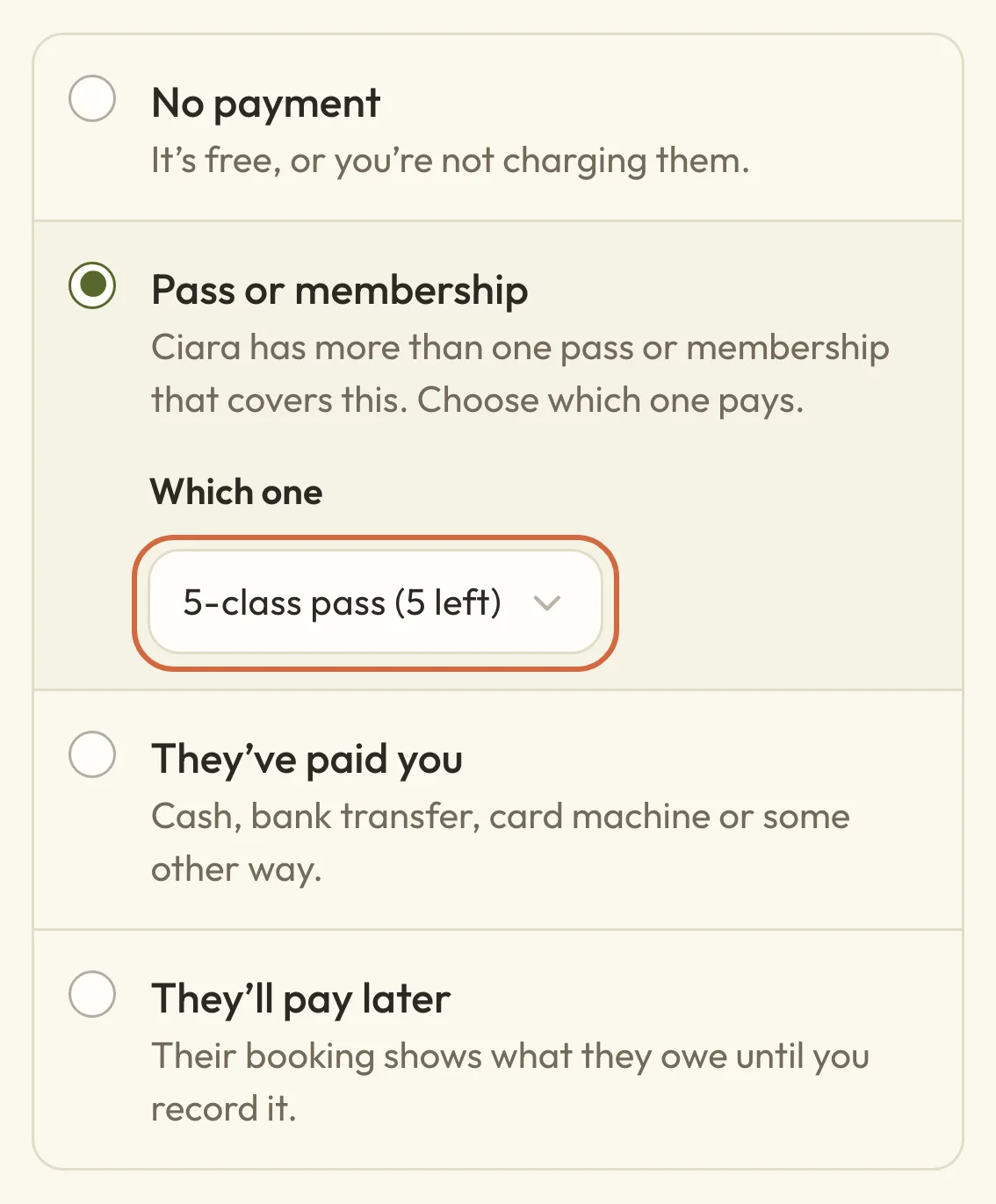
- Under Payment, check that Pass or membership is selected. It's chosen for you if they hold one that covers this class.
- If they hold more than one, choose the one to use under Which one. The box starts empty, and you can't add them until you've picked.
- Send confirmation email is ticked for an upcoming date, so untick it if they don't need one.
- Choose Add to this date.
 (opens the full-size picture in a new tab)
 (opens the full-size picture in a new tab)If someone holds more than one, you choose which one pays.
A pass loses one credit as soon as you add them, and you'll see the new balance under Purchases. A membership isn't used up. On the list for that date, the booking shows Pass or Membership where a payment would normally be.
If you can't choose their pass or membership
If Pass or membership isn't one of the choices under Payment, this person doesn't hold anything that can pay for this date. The reasons are the same as in A client says their pass or membership didn't work, so Purchases on their page is the place to start.
For a free class there's no Payment section at all, and no credit is used. On a retreat with rooms, a pass or membership can only pay for a booking with one person on it.
If they've paid you another way, choose They’ve paid you instead.
What happens to the credit if you cancel a booking made with a pass
When you cancel a booking made with a pass, you decide whether the credit goes back. Choose Actions next to the person on that date, then Cancel booking. Under What happens to the money? you'll see Return 1 pass credit and Don’t restore the credit.
Your cancellation policy picks one to start with, and you can change it:
- Inside your refund window, Return 1 pass credit is picked, and the button reads Cancel and restore credit.
- After the window has closed, Don’t restore the credit is picked. You can still give it back by choosing Return 1 pass credit anyway.
A returned credit goes back on the same pass straight away, and the cancellation email tells your client. It doesn't extend the pass, so if the pass has already expired they'll need a later expiry date before they can use the credit. You can set one with Adjust pass details, as explained in Change or refund a client's pass.
A booking covered by a membership has no credit to return, so the dialog doesn't ask about money.
What happens to the credit if a client cancels or the date is cancelled
If a client cancels a class booking themselves, your refund window decides what happens to the credit. Inside the window it goes back on their pass by itself. After the window closes they're told it's too late to get the credit back, and they can still choose to cancel.
If you cancel a whole date, everyone's pass credits are given back, unless their pass has already been refunded. Change or cancel event dates has the details.
If you move someone to another date instead of cancelling, the credit moves with them and nothing more is taken from the pass. See Move a booking to another date or class.
You set the refund window for classes in Set event defaults and categories.
Book an appointment using their package
To use a client's package for an appointment, go to BookingsAppointments and choose Create appointment. Choose the person, service, team member and time. Under Payment, Their package is chosen for you if they hold one that covers the service, and it tells you how many sessions they have left.
If they hold more than one, the package that ends soonest is picked, and you can choose another under Package. If Their package is greyed out, they don't have a package for this service. A package tied to one team member only works for appointments with that person.
If it says their packages couldn't be loaded, choose Try again. That's a loading problem, and it doesn't mean they haven't got one.
There's more about the rest of the form in Book an appointment for a client. Memberships don't cover appointments.
What happens to a package session if the appointment is cancelled
When you cancel an appointment paid for with a package, you choose whether the session goes back. Open the appointment and choose Cancel appointment. Your appointment policy picks Return 1 pass credit or Don’t restore the credit to start with, and if the policy says not to return it, you can still choose Return 1 pass credit anyway.
Check that the button reads Cancel and restore credit before you choose it. The session goes back on their package straight away, and the cancellation email tells your client.
If a client cancels the appointment themselves, your Customers can get a refund setting decides whether the session goes back. Set appointment policies explains that setting.
Use a pass or membership for a course
You can't use a class pass to book a whole course, but a membership can cover one if the course accepts memberships. When you add someone to a course run with Add someone, choose Pass or membership under Payment.
Clients can use a membership they already hold when they book a course from your booking page, as long as they're signed in. They can't join a membership and book a course in the same step.