You can let people pay in full when they book, pay you in person, pay a deposit and the rest later, or spread the cost over instalments. You set the usual options for each kind of booking in one place, and any class, course or service can have its own if it needs something different.
Changes apply to new bookings as soon as you save. Anyone who's already booked carries on with the terms they agreed to.
Choose how people can pay
- Go to BookingsBooking settingsPayments.
- Under Payment options you'll see a list for each kind of booking you offer, such as Classes, Courses and Appointments. Find the one you want to change.
- Tick each way of paying you're happy to offer. If you tick more than one, your client picks when they book.
- Choose Save settings.
Here's what each option means for you and your client:
- Pay in full now: they pay the whole price by card when they book.
- Pay in person: they book without paying anything through Macadamia, then pay you by cash, bank transfer or however you've agreed. The booking is confirmed straight away, and you can see what they owe in MoneyOwed to you.
- Deposit now, pay the rest later: they pay part by card when they book, then come back to pay the rest by a due date.
- Instalment plan: they pay the first amount by card when they book, and the later payments are taken from their card automatically.
You can offer a deposit or an instalment plan, but not both for the same kind of booking.
Take a deposit and the rest later
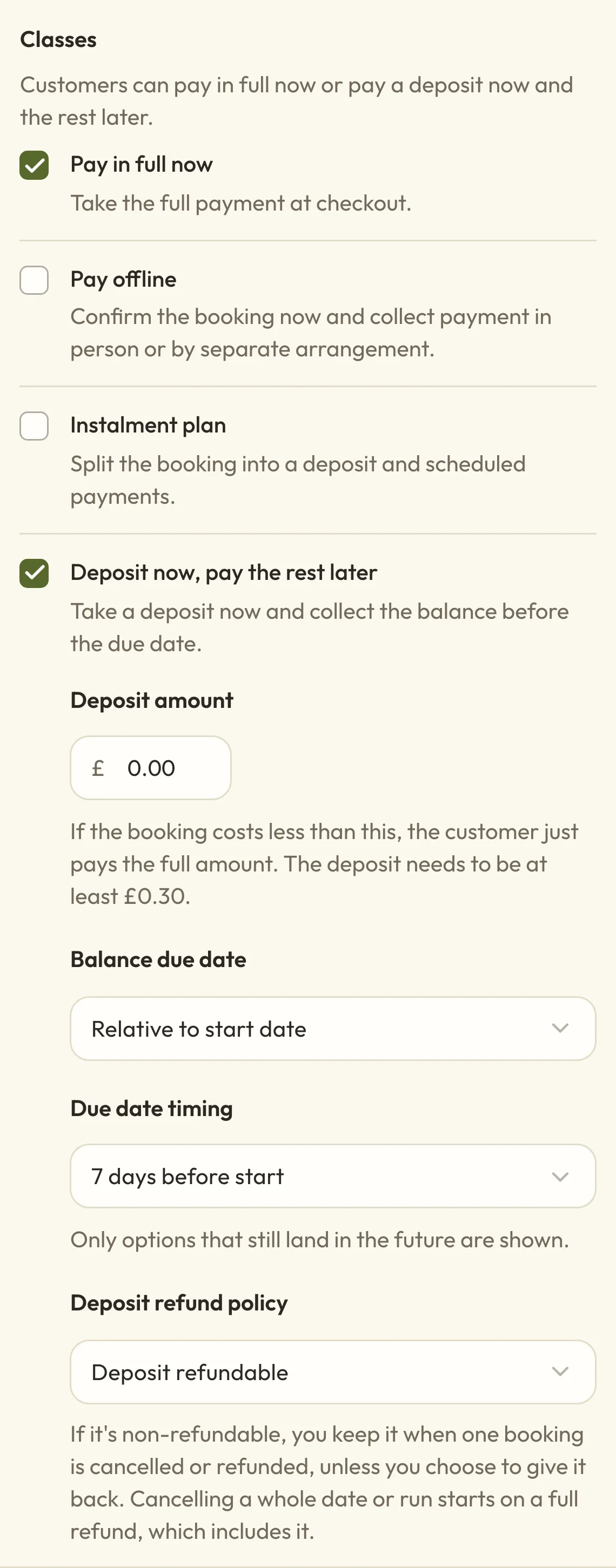
To take a deposit, tick Deposit now, pay the rest later, then fill in the details that appear:
- Deposit amount is what they pay when they book. It has to be at least £0.30.
- Balance due date can be Relative to start date, such as 7 days before start, or a Fixed calendar date.
- Deposit refund policy is either Deposit refundable or Deposit non-refundable.
 (opens the full-size picture in a new tab)
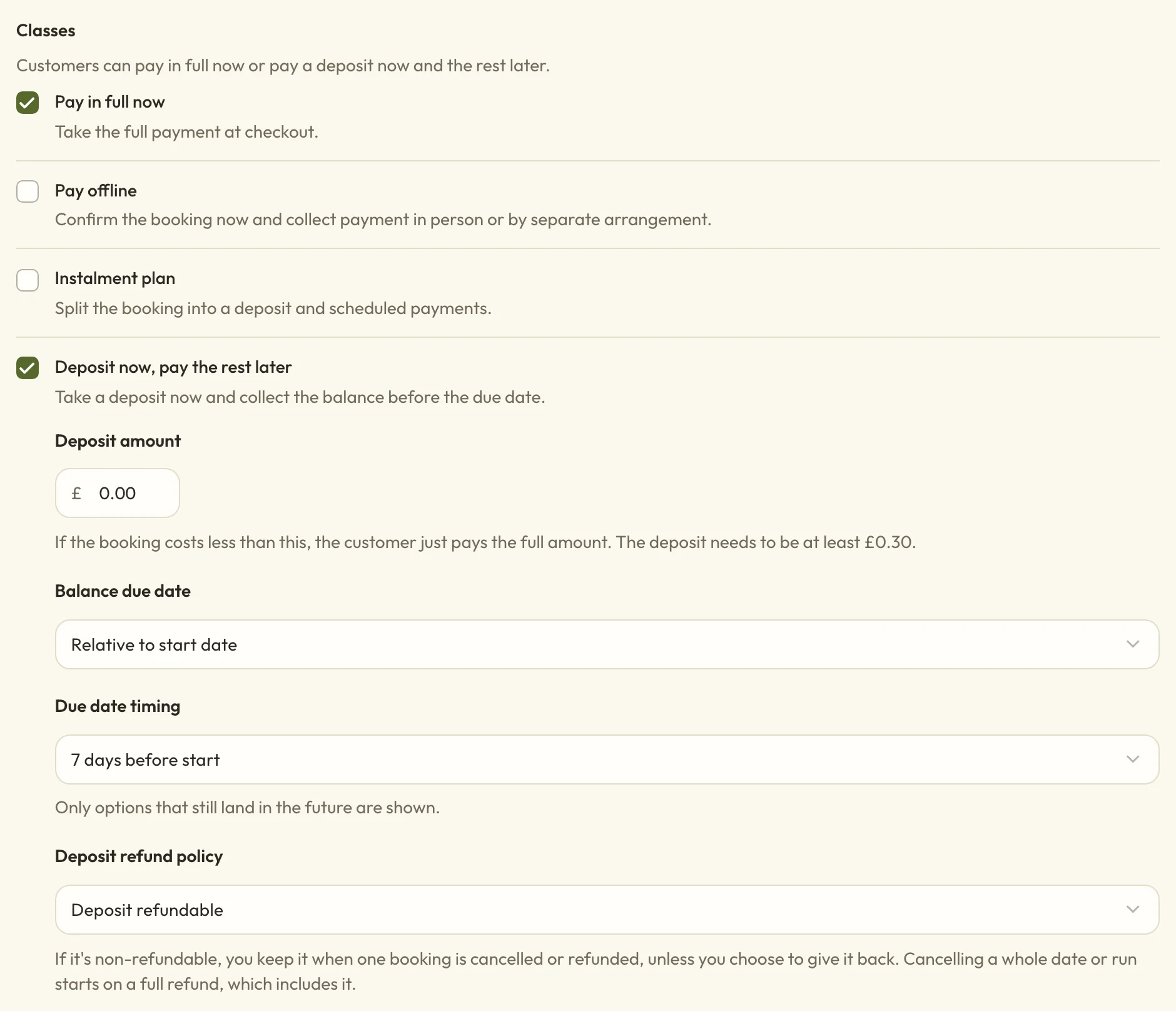 (opens the full-size picture in a new tab)Ticking the deposit option shows its settings underneath.
The deposit is a set amount for the whole booking, not for each place. With a £20 deposit on a workshop that costs £60 a place, someone booking two places pays £20 today and owes £100 later. If a booking costs less than the deposit, they pay the full price today. With a non-refundable deposit, that whole payment counts as the deposit, so they won't get it back if they cancel.
A Fixed calendar date is one date for everything using these settings, so it's usually better to set it on a single event than here. Once that date has passed, the deposit stops being offered.
What happens when the rest of a deposit is due
The rest of a deposit isn't taken from their card automatically. Your client pays it themselves from their account on your booking page. They're emailed a reminder 7 days before the due date, the day before, and the day after if it's still unpaid. A reminder is skipped if they booked too close to it. You can turn these reminders off or change their wording in SettingsEmails.
If the due date passes, you'll get an email and the booking shows as Overdue balance in MoneyPayment problems. Their place isn't cancelled automatically, so what happens next is up to you. You can choose Send payment reminder from the menu on their row, record a payment they've made another way, or cancel the booking. For more on chasing a late payment, see Follow up money you're owed.
Keep a deposit when someone cancels
To keep the deposit when one client's booking is cancelled or refunded, choose Deposit non-refundable. It stays with you whatever your refund window says, and your client is told the deposit is non-refundable when they choose how to pay.
You can still give it back if you want to. When you cancel or refund one booking yourself, there's an unticked box to include the deposit, which Cancel or refund a booking explains.
Cancelling a whole date or course run works differently, because you're the one calling it off. The review starts on a full refund for each person, and that includes a non-refundable deposit. To keep the deposit, choose Refund part of it for that person and type the amount without it. If the deposit is all they've paid so far, choose Don't refund instead.
With Deposit refundable, the deposit is treated like the rest of what they've paid and follows your usual refund rules.
Let people pay in instalments
To spread the cost, tick Instalment plan, then choose a Plan setup:
- Deposit now, one later payment: a deposit today, and the rest in one payment after the number of days, weeks or months you choose.
- Deposit now, then several payments: a deposit today, then the Number of later payments you set, at the interval you choose.
- Split into equal payments: the price is divided equally. The Number of payments includes the first one, which is paid at booking.
The dates count from the day each person books, and later payments are taken from their card automatically. If your client clears the balance early from their account, the automatic payments stop.
Every payment has to fall before the booking starts, so a plan is only offered when someone books early enough to fit it in. A three-month plan won't appear for something that starts in six weeks.
If an instalment payment fails
If an instalment payment fails, you and your administrators get an email, and it shows as Failed charge in MoneyPayment problems. Your client sees A payment didn't go through in their account, where they can pay what's left. It's often worth getting in touch with them too, and Sort out a payment problem covers what you can do from there.
Let course payments carry on after it starts
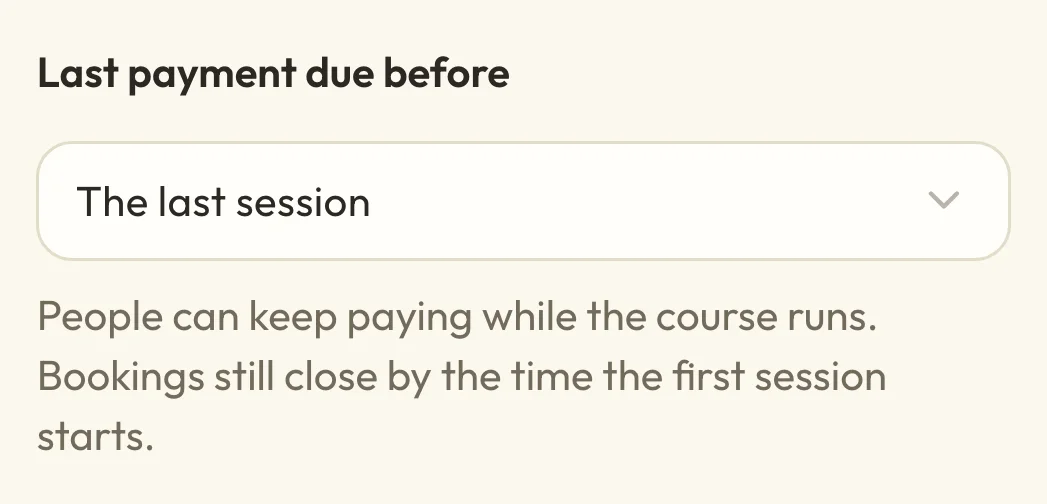
Usually every instalment has to be paid before a course begins. To let people keep paying while it runs, find Courses under Payment options, tick Instalment plan and set Last payment due before to The last session.
 (opens the full-size picture in a new tab)
 (opens the full-size picture in a new tab)Last payment due before only appears for courses.
This only changes when payments can be due. Bookings still close when the first session starts, or earlier if you've set a time under Stop taking bookings.
Use different payment options for one class or service
Your settings are the usual options, and any class or service that uses them picks up your changes when you save. To set something different for one class, workshop or course, open it, go to its Booking tab and change Payment options from Use the usual payment options to Choose payment options. Appointment services have the same choice, which Change an appointment service explains.
If a class, event or course offers a deposit or instalment plan, people can only book one of its dates or runs at a time. The switch for booking several together, on its Booking tab, stays off until you change how people pay.
Why a client can't see a deposit or instalment option
A client won't see a deposit or instalment option if its dates or amounts can't work for their booking, so what they're offered can change as the date gets closer:
- The balance due date has already passed, so the deposit isn't offered to new bookings.
- The instalments wouldn't finish in time, because a payment would fall after the deadline.
- A later payment would be under £0.30, which is too small to charge to a card.
If nothing you ticked can still be offered, your client pays in full by card. So if a deposit is the only option you've ticked, someone booking after the due date pays the whole price. If you've also ticked Pay in person, that's what they'll be offered instead.
Take bookings before online payments are set up
Until you've set up online payments, you can't add the card options. They're greyed out with a note saying online payments need to be set up first, and Pay in person is the one you can tick.
If a booking only offers card payment and your site can't take cards yet, clients see a message asking them to contact you to book. Ticking Pay in person lets them book in the meantime.
What currency you can charge in
Macadamia is set up for UK businesses at the moment, so you charge in pounds. You'll see this under Currency in BookingsBooking settingsPayments, and it's locked once you've taken a payment.
Let refunds go to site credit
To refund people as site credit instead of money, turn on Allow site-credit refunds under Currency and refunds. Site credit doesn't expire. Turning this on doesn't refund anything by itself or change refunds you've already given, and you'll still choose each time you refund someone.
What happens to existing bookings when you change these settings
People who've already booked keep the terms they booked with, including any deposit, due date or instalment dates, and they don't get an email about your change. The new options apply to bookings made after you save.